Show Certificates on LinkedIn & Your Resume (Templates)
Advertisement
A certificate nobody sees is worth $0. I learned that the slow way — I finished a free course one weekend, downloaded the PDF, and let it sit in my Downloads folder for two months before I put it anywhere a recruiter could find it. Nothing in my job search changed until the certificate lived somewhere a hiring manager’s scroll or a recruiter’s search could actually reach it: LinkedIn’s Licenses & Certifications section, and the resume itself.
This is the exact process I use for both — where to click, what to type, how to name a certificate so it doesn’t look padded or invented, and where each one belongs on a resume depending on how much work history you already have. Do the LinkedIn part first; it takes under ten minutes per certificate. Then move to the resume, where I’ll give you real bullets to copy and adapt.
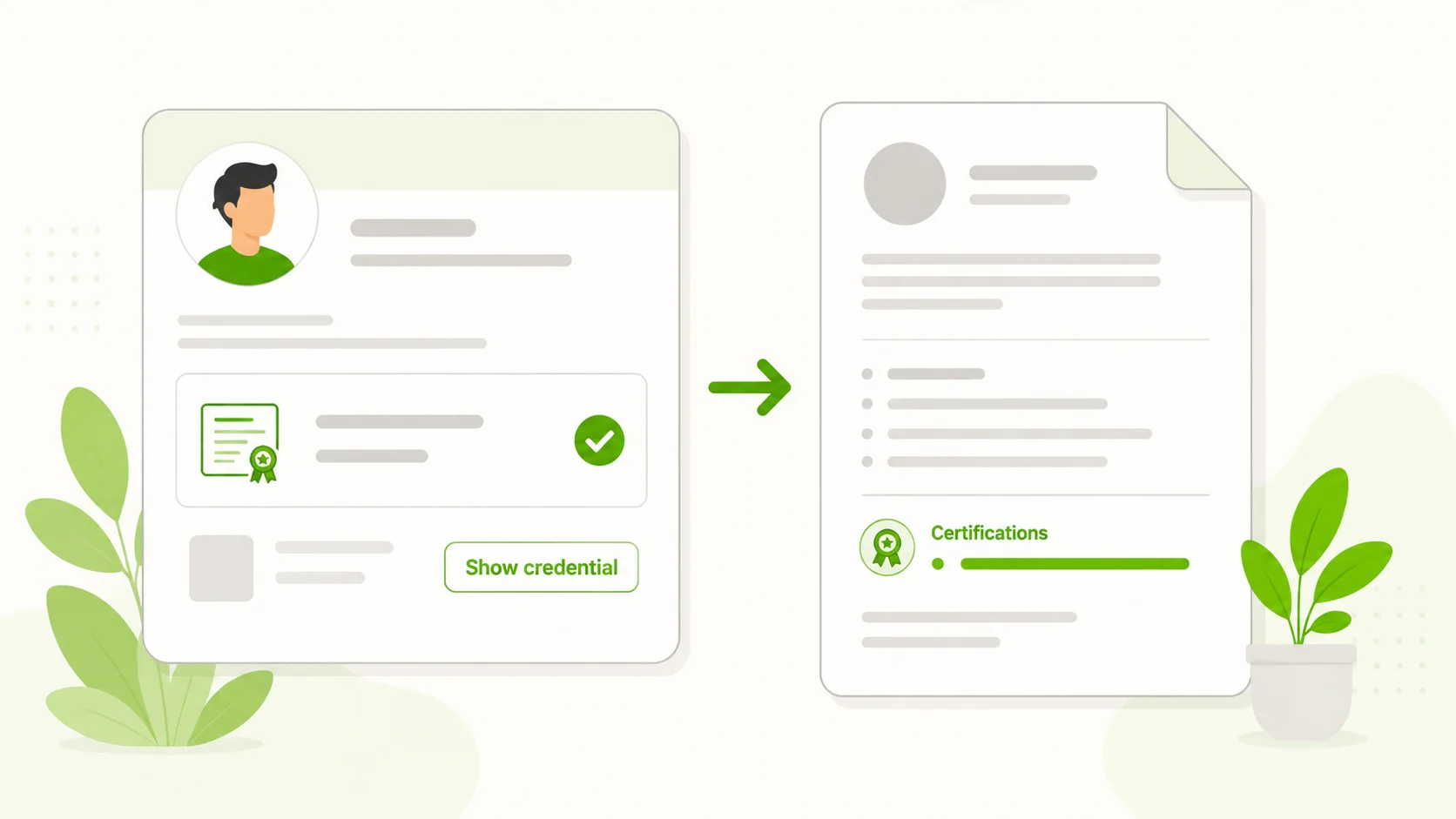
Part 1: Add it to LinkedIn correctly
Step 1: Open the Licenses & Certifications section
On desktop, go to your profile, click Add profile section, then Recommended, then Add licenses & certifications. If the section already exists, scroll to it and click the small + icon in the header instead. On mobile, tap the pencil/edit icon at the top of your profile, then follow the same Add section > Recommended > Licenses & certifications path.
A blank form opens with fields for name, issuing organization, issue date, expiration date, credential ID, credential URL, and skills. Fill every field that’s true. An empty field is a missed chance to be found in search — but an invented one is worse than empty.
Step 2: Get the issuing organization right
Start typing the issuer’s name and let LinkedIn autocomplete it to a real LinkedIn Page. Picking the linked Page pulls in the organization’s logo next to your entry, which is what makes a recruiter’s eye stop for half a second on the way down your profile.
Use the actual issuer, not the platform that hosted the course. If you earned the free Harvard CS50 certificate, the issuer is Harvard University — CS50 is a Harvard course — not edX, which is only where you may have audited the lectures. If you earned an AWS certification, the issuer is Amazon Web Services, not Coursera or Udemy, even if that’s where you studied for the exam.
Step 3: Name it exactly — the AWS certification vs. CS50 test
This is the field people get laziest about, and it’s the one that matters most. Type the certificate’s real, full name — the one printed on your certificate or shown on your credential page — not a paraphrase, and not an upgrade.
| Field | AWS certification example | Harvard CS50 example |
|---|---|---|
| Issuing organization | Amazon Web Services (AWS) | Harvard University |
| Certificate name | The exact title from your AWS credential page — not “AWS certified” or “cloud certification” | The exact title on your CS50 certificate — not “Harvard coding certificate” |
| Credential ID | Yes, AWS issues a verification ID with every certification | CS50 provides a public verification link even when no separate ID is shown |
| Credential URL | Your AWS Certification verification link | Your CS50 certificate’s verification link |
| Cost to earn | Paid, exam-based | 100% free, including the certificate |
Notice both get named with the same rigor even though one cost money and one didn’t. Accuracy here isn’t about how impressive the credential sounds — it’s about whether the name matches what “Show credential” actually reveals when someone clicks it. I go deeper into which entries actually move the needle with hiring managers in which certificates recruiters actually respect: specific and verifiable beats vague and impressive-sounding, every time.
Step 4: Add the credential ID and credential URL
Most real certificates — CS50, AWS, Google Skillshop, HubSpot Academy, Semrush Academy, Cisco Networking Academy, IBM SkillsBuild — give you a credential ID, a verification URL, or both. Paste them exactly. The URL turns your entry into a clickable Show credential button, which lets a skeptical recruiter check your claim in one click instead of taking your word for it.
If your certificate genuinely has no ID, leave the field blank. A fabricated number is exactly what turns a real, honestly-earned certificate into something that reads as fake the moment anyone tries to verify it.
Step 5: Decide whether to notify your network
Before saving, LinkedIn shows a “Notify network” toggle. On sends an update to your connections and can post to your feed; off adds the entry quietly.
I don’t toggle it on for every small badge — nobody wants a notification every time I finish a two-hour micro-course. I do toggle it on for certificates that took real, sustained effort, or when I’m actively job hunting and want visibility. If you’re not sure which of your certificates are worth that kind of moment, start with the first five certificates worth earning before you decide what’s announcement-worthy.
If you do notify your network, write your own short post instead of letting the auto-generated update speak for you — it gets far more engagement. Here’s the template I use:
I just earned [exact certificate name] from [issuing organization].

Why I took it: [one honest sentence — a skill gap I wanted to
close, a career switch I'm working toward, or a project that
needed it]

What it actually covers: [2-3 concrete skills or topics, not
vague buzzwords]

What's next: [the next course, project, or role you're working
toward]

Credential: [link, if you have one]

#OpenToWork (only if actually true) #[relevant skill hashtag]
Keep it under 100 words and skip the hype. “Excited to announce” and “thrilled to share” are filler recruiters scroll past. A sentence that says what you actually did gets read; a sentence that only performs enthusiasm doesn’t.
Part 2: Put it on your resume correctly
A certificate by itself is just a noun on a page. What gets attention is the noun plus a verb plus a result — what you built, analyzed, or changed because you did the work. That’s the gap between every weak line below and its stronger rewrite.
Where it goes depends on your career stage
New graduate or entry-level. Put a dedicated “Certifications” section right under Education, above your thin work history. This is your strongest proof of initiative when you don’t have years of job titles to lean on — 2-4 certificates, each with one line of context.
Career switcher. Certificates go near the top too, but label the section “Relevant Skills & Certifications” and place it under your summary, before your unrelated past jobs. Answer the recruiter’s first question — “why is this person applying?” — before they get three lines into a resume about a different career.
Experienced professional (5+ years in the field). A free certificate is a supporting detail, not a headline. Fold it into a single “Professional Development” line near your skills section, or attach it to a bullet under the job where you used it.
Copy-paste bullets by field
Tech
BEFORE: Completed Harvard CS50 course.

AFTER: Earned the Harvard CS50 Certificate (issued directly by
CS50, not a paid add-on) after building a command-line game and
a full-stack web app using C, Python, SQL, and JavaScript.
BEFORE: Learned to code online.
AFTER: Completed freeCodeCamp's Responsive Web Design
certification, shipping 5 projects — a personal portfolio, a
survey form, and a product landing page — using semantic HTML
and CSS Flexbox/Grid.The “after” versions name the exact credential and what you actually built. That’s proof, not a claim — and it costs nothing to earn, unlike a coding bootcamp charging tuition for the same kind of project-based evidence.
Data
BEFORE: Interested in data analytics.

AFTER: Completed the Google Data Analytics Certificate on
Coursera, applying SQL, Tableau, and R to a capstone project
that analyzed [your dataset/industry] and presented findings to
[audience].
I’ll be straight about this one: it runs on a 7-day free trial and then a Coursera subscription (or Coursera’s financial aid, if you apply and qualify) — it isn’t free-with-certificate the way CS50 is. I break down the exact cost in my Google certificates guide, so check that before you commit money or a resume line to it.
BEFORE: Familiar with Python for data work.

AFTER: Completed 4 Kaggle micro-courses (Python, Pandas, Data
Visualization, Intro to Machine Learning), each capped by a
graded exercise notebook.
Naming exactly which four you finished reads as more credible than a vague skills claim — it shows you can point to graded work.
Marketing
BEFORE: Understand digital marketing.

AFTER: Earned the Google Ads Search certification through
Skillshop (free, renewed annually) and applied it to a mock
$500 campaign budget targeting a 3.2% click-through rate.
BEFORE: Took a marketing certification.
AFTER: Completed HubSpot Academy's Content Marketing
certification and applied it to restructure a blog's internal
linking, contributing to a [X]% increase in organic sessions
over [timeframe].Fill in a real number — never round up a guess, because a recruiter’s follow-up question will find the gap. Worth knowing: HubSpot’s certifications are free but not externally accredited; they show applied skill, not a university credential.
Business & operations
BEFORE: Interested in project management.

AFTER: Earned an OpenLearn digital badge in Project Management
(CPD-accredited through The Open University) and used it to
reorganize my team's sprint planning process.
BEFORE: Good with numbers and Excel.
AFTER: Completed a bookkeeping certification covering accounts
receivable, payroll basics, and bank reconciliation, then used
those skills to clear a 3-month invoice backlog at [company/
context].A bookkeeping certification looks small on its own but reads as concrete competence the moment you attach it to a real task. If you’re weighing which of these credentials actually carry weight with hiring managers, I compare them certificate-by-certificate in which certificates recruiters actually respect — some free badges punch above their weight, and some don’t.
5 mistakes that get you ignored
- Inventing a credential ID, URL, or “certification” that doesn’t exist. If the certificate didn’t give you an ID, leave the field blank on LinkedIn and don’t call an audit-only course “certified” on your resume — write “completed the coursework” instead. Both are one click away from being caught.
- Free-typing the issuer instead of selecting LinkedIn’s linked Page, or naming the platform instead of the actual issuer. You lose the logo, and the entry looks generic instead of verified. The issuer is Harvard or AWS — not edX, Coursera, or Udemy.
- Renaming the certificate to sound more impressive than the real title. “Harvard Computer Science Certificate” instead of the actual CS50 certificate name is the kind of exaggeration that makes an otherwise honest credential look inflated the moment someone checks it.
- Listing something that was never actually a certificate. MIT OpenCourseWare, for example, is genuinely excellent free content, but it issues no certificate at all. Mention it in your summary or under a project, not as a credential entry.
- Listing 10+ micro-certificates instead of the 3-4 that matter, or letting a time-limited badge go stale. A wall of logos reads as padding, not proof — and Google Skillshop and Semrush Academy certifications renew yearly, so an entry dated four years ago with no renewal reads as outdated skills. Update it when you re-certify, or drop it if it lapsed.
Do LinkedIn Premium, career coaching, or a resume writing service actually help here?
None of the steps above require a paid upgrade. LinkedIn’s free tier displays your Licenses & Certifications section identically to LinkedIn Premium — the logo, the “Show credential” button, and search visibility all work the same whether you’re paying $0 or paying for Premium. What Premium adds is mostly messaging limits and profile-view detail, not anything that changes whether this section is filled in correctly.
Career coaching and a resume writing service are optional help with strategy and wording, not a requirement for doing any of this right. If you already pay for career coaching, it’s worth asking your coach whether a specific certificate is worth featuring for the role you’re targeting — that’s a judgment call, not a formatting one. A resume writing service can help you decide which certificates earn a resume line versus which belong only on LinkedIn, especially if you’re rusty at self-promotion or English isn’t your first language. But every template in this article is something you can adapt yourself in the time it took to read it — no purchase required.
Once your LinkedIn section and resume bullets are accurate, the next useful move is matching what you’ve actually earned to what gets hired for in your target field — that’s what I map out in free certificate paths by career goal.
Do I need LinkedIn Premium to add certificates properly?
No. The free version of LinkedIn shows the Licenses & Certifications section, the issuer logo, and the “Show credential” link exactly the same way Premium does. Premium changes messaging and analytics features, not how this section displays.
What do I do if my certificate doesn’t have a credential ID?
Leave the credential ID field blank rather than inventing one, on LinkedIn and on your resume alike. Many free badges provide a verification URL without a separate ID number — use whichever your certificate actually gives you, and skip the one it doesn’t.
Should I create a separate “Certifications” section on my resume?
Yes, if you’re a new grad or career switcher — put it near the top, under Education or your summary. If you’re an experienced professional, fold certificates into your skills section or a single “Professional Development” line instead; a standalone section at that stage can look like you’re overselling a minor credential.
Do free certificates carry the same weight as a coding bootcamp or a college degree?
No, and I’d rather tell you that plainly than let you find out in an interview. Most of these aren’t accredited degrees. What they do well is prove initiative and a specific, checkable skill — which is exactly what the bullets above are built to show. For a fuller picture of how to sequence several of these into an actual career narrative, see free certificate career paths by field.
Put your certificate to work
Open your profile to add it now, or jump to the issuers used as examples above.


These links open the official provider on another website.